Quit porn on your Mac too.
A blocker on your phone doesn’t stop your laptop. Clearing filters every app on your Mac and puts it under the same pledge as your iPhone and iPad, so no screen is the way around.
One free app for iPhone, iPad and Mac. Start your pledge on your iPhone, then link your Mac with a 6-digit code.

Coming soon to the Mac App Store · macOS 15 or later · Free
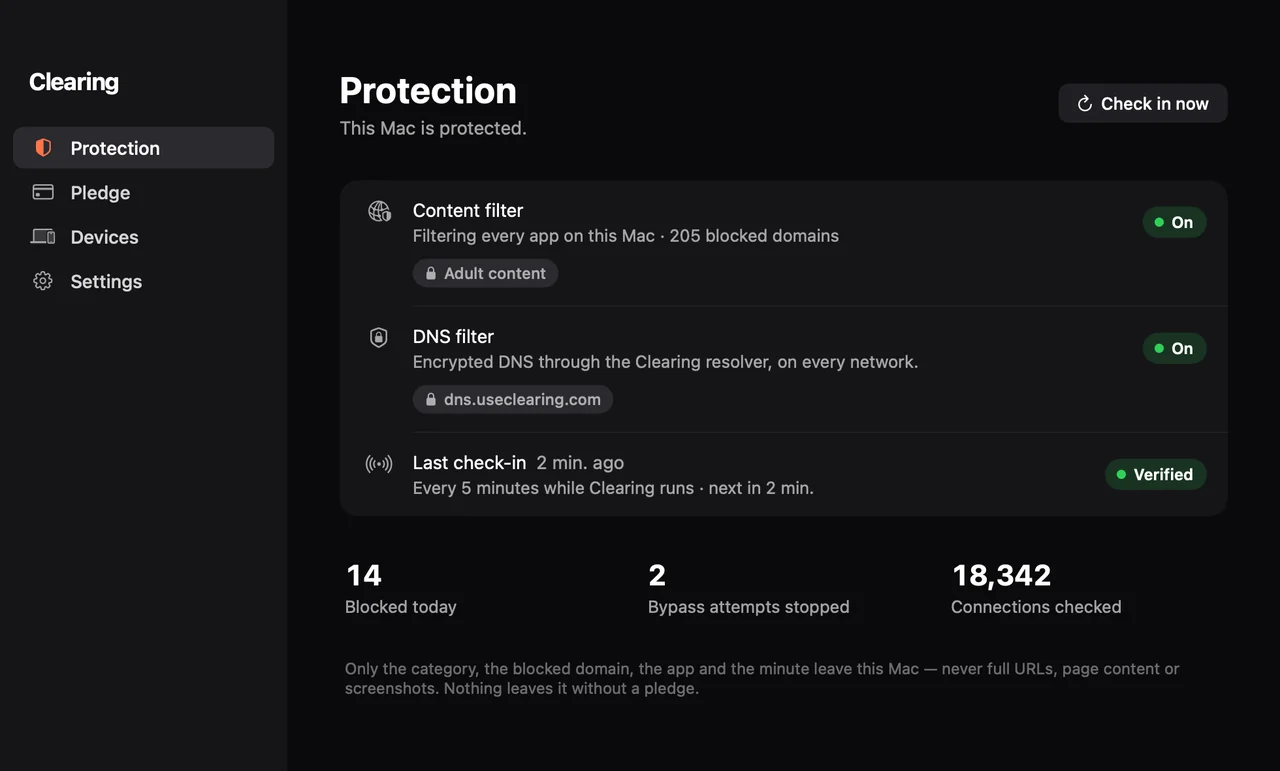
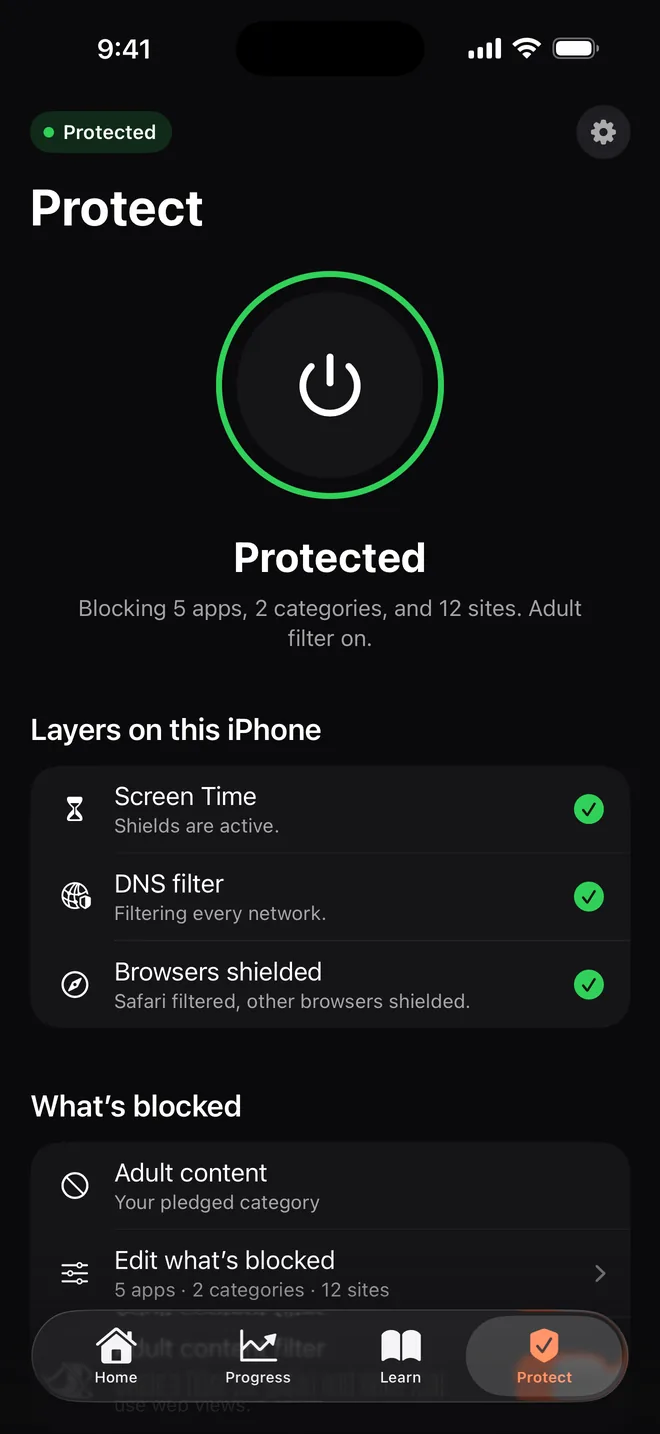
Blocked on your phone. Wide open on your laptop.
A blocker on one device just moves the urge to the next screen. With Clearing your Mac is part of the pledge: switch its filter off and leave it off for more than 24 hours, and it counts as failing, just like on your phone.
What Clearing does on your Mac
Every app, every browser
A content filter checks each connection on this Mac: Safari, Chrome, Firefox and every other app.
Hard to get around
Another browser doesn’t help. Known encrypted-DNS and VPN workarounds are blocked for adult content and gambling.
Always in your menu bar
A shield shows whether this Mac is protected, with the next check-in one click away.
Runs quietly
Clearing opens at login and checks in every 5 minutes, so your pledge sees this Mac stays protected.
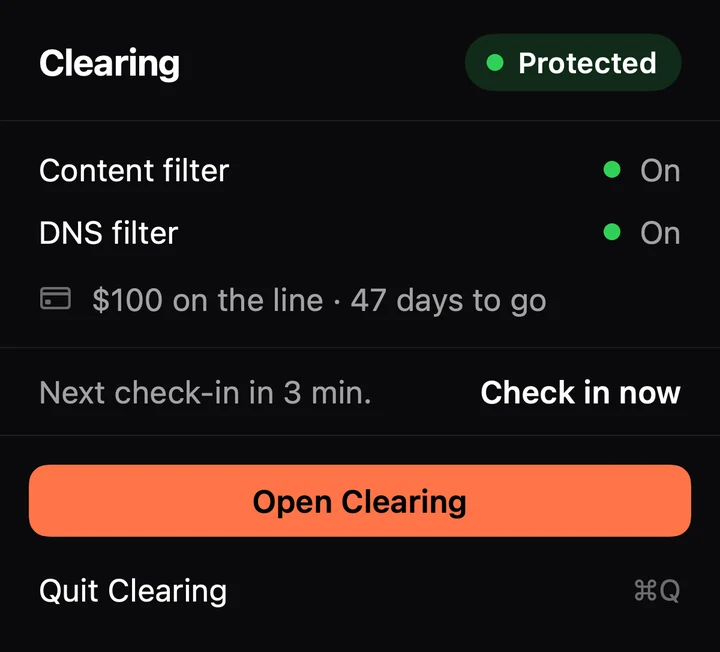
One pledge across all your devices
- Start your pledge in Clearing on your iPhone or iPad.
- Install Clearing on your Mac. It’s the same free app.
- Link the Mac with the 6-digit code from your iPhone, or Sign in with Apple.
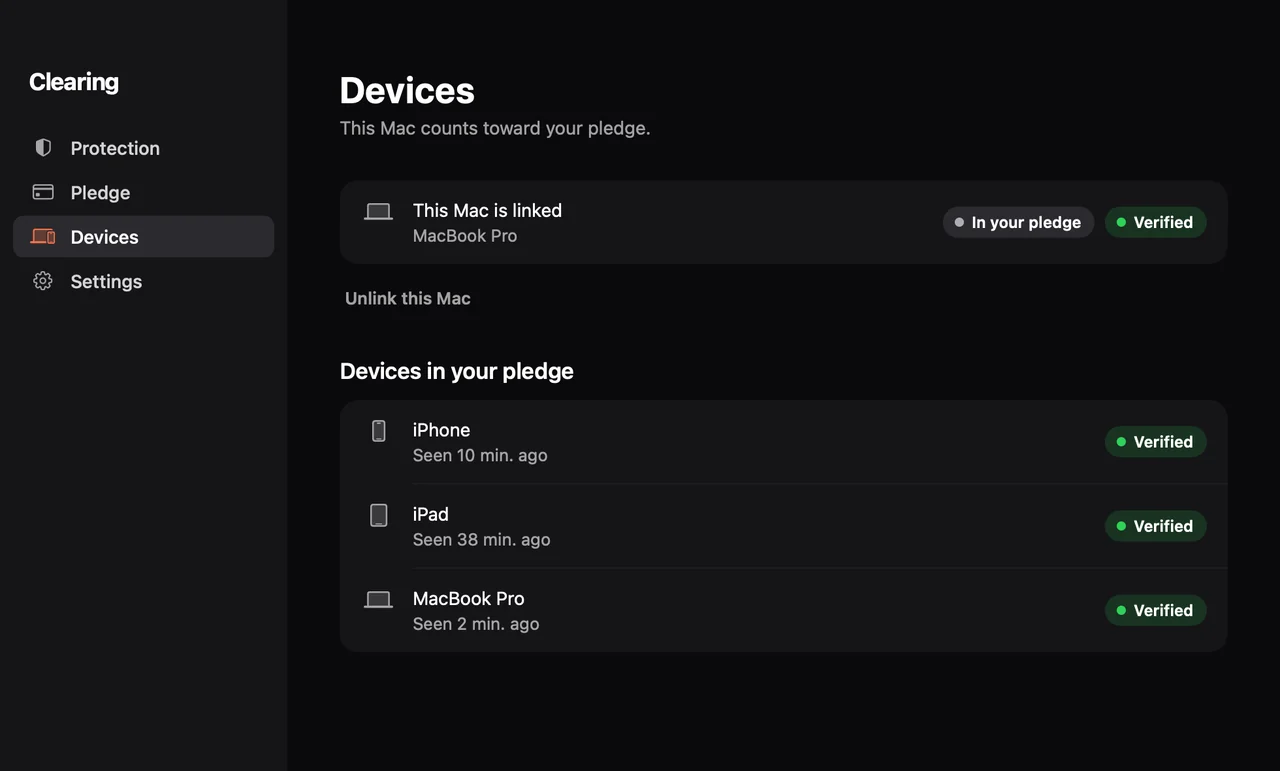
Each device is checked on its own. One pledge, one free-by date, one streak.
Same rules on every screen.
Fail on any device and you’re charged at once: no notice, no appeal, no undo. Stay clean until your free-by date and you pay $0.
When a site is blocked, your Mac reports the category, the domain, the app and the minute, and only while a pledge runs. Never URLs, page content or screenshots. Pledge Terms · Privacy
Questions about the Mac
Do I need an iPhone?
To make a pledge, yes: pledges are set up in Clearing on iPhone or iPad, and the Mac shows yours. To block on your Mac, no. The Mac app works on its own, without an account.
Does the Mac version cost extra?
No. Clearing is one free app for iPhone, iPad and Mac, with no subscription. Money only moves if a pledge fails.
Which Macs does it run on?
Any Mac with macOS 15 or later. You approve the content filter once in System Settings, and Clearing shows you where.
What does Clearing see on my Mac?
Whether the filters are on, and for blocked sites the category, the domain, the app and the minute, only while a pledge runs. Never full URLs, page content, screenshots or what you type.
Can I turn it off?
Yes, it’s your Mac. During a pledge, turning the Mac’s filter off counts like turning protection off on your phone: leave it off for more than 24 hours and the pledge fails.
Is there a Windows or Android version?
Not yet. Clearing runs on iPhone, iPad and Mac.
Not ready for a pledge? Block websites on a Mac with the tools macOS already has
One pledge. All your devices.
Free on iPhone, iPad and Mac. You only pay if you fail.